
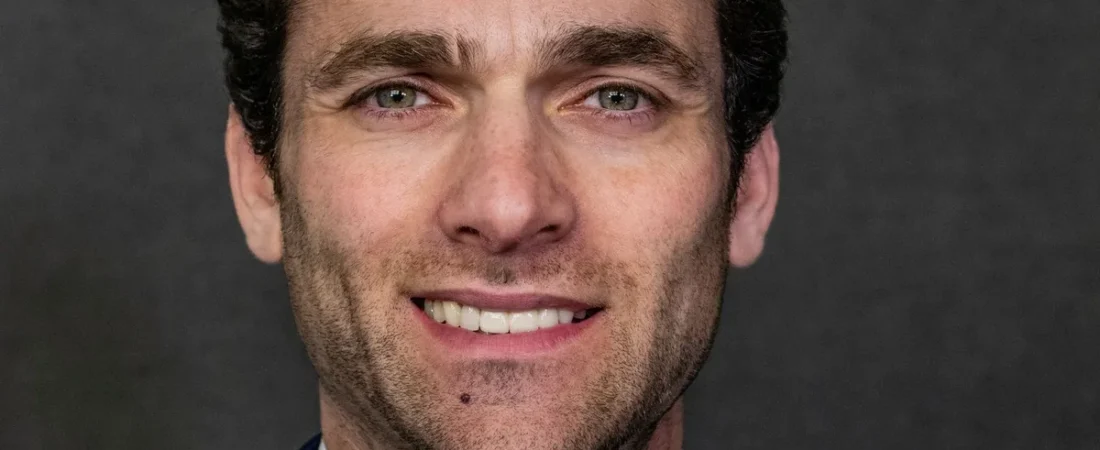
Short answer: Good attorney headshots for website use are recent, consistent across the whole team, and directed to show the person a client will actually meet. Decide between studio and environmental styles before the shoot, give the photographer a written brief, export properly sized and compressed files, write descriptive alt text, and replace any photo that no longer looks like the attorney.
Clients spend a surprising amount of attention on the faces on a law firm website. A visitor reading a bio is trying to answer an emotional question as much as a rational one: is this someone I can sit across a table from? A blurry crop from a holiday party, a fifteen year old studio portrait, or a lineup where every attorney was photographed against a different background answers that question badly. Fixing it is one of the least expensive improvements a firm can make, and one of the most visible.
What the photo has to do
A headshot on a law firm site has three jobs. It confirms that a real, identifiable person does this work. It sets expectations about the firm’s character: formal, approachable, corporate, neighborhood. And it gives the visitor a face to remember when they come back or when a friend mentions the name.
Those jobs vary by practice. A business litigation firm serving general counsel may want polished, formal portraits that signal seriousness. A family law or estate planning practice usually benefits from warmer images with relaxed expressions, because the client relationship is personal. A criminal defense firm often wants confidence without hostility: a direct gaze, a steady expression, no crossed arms. Decide what the photos should communicate before booking the photographer, because that decision drives every other choice.
Directing the session
Most attorneys are uncomfortable in front of a camera, and most bad headshots come from a photographer who was given no direction and an attorney who froze. A short written brief solves much of this. Describe the look the firm wants, share a few reference images, and specify the crop, background and clothing guidance.
Expression matters more than anything else. A closed mouth smile that reaches the eyes reads as approachable and competent for most practices. A broad laugh can work on an about page or in a candid shot but rarely suits the main bio portrait. A completely serious face can read as cold. Ask the photographer to shoot a range and to talk with the attorney during the session, because people look more natural mid conversation than when holding a pose.
Clothing should match what the attorney wears to meet clients, or slightly more formal. Solid colors photograph better than busy patterns, which can shimmer on screens. Avoid outfits that will date the photo quickly. If attorneys wear glasses daily, they should wear them in the photo, with the photographer managing glare, because clients will see them in person.
Posture and angle do quiet work. A slight turn of the shoulders with the face toward the camera is flattering for most people. Shooting at or slightly above eye level avoids the looming effect of a low camera. Head and shoulders crops are standard for bio pages; a three quarter or waist up version is useful for the about page and for wider layouts.
Studio portraits versus environmental shots
The two main styles each have strengths, and many firms use both in different places.
| Choice | Studio style | Environmental style |
|---|---|---|
| What it looks like | Plain or gradient backdrop, controlled lighting, tight crop | Real setting such as the office, a conference room or a courthouse exterior |
| Best suited to | Large teams, corporate practices, consistent grid layouts | Smaller firms, client facing practices, about pages and hero images |
| Consistency across hires | Easy to match years later with the same backdrop and lighting setup | Harder, since rooms, seasons and light change over time |
| What it signals | Professional, orderly, established | Approachable, grounded, local |
| Practical drawback | Can look generic if lighting and expression are flat | Busy backgrounds can distract and crops get awkward on mobile |
A common approach is a studio portrait for every bio and team grid, plus a small set of environmental photos of the attorneys working, talking with each other or in the office for the home page and about page. That gives the site uniform cards where uniformity matters and a sense of place where personality matters.
If you choose environmental portraits for the bios themselves, control the variables you can. Use the same location or a small set of similar ones, shoot at a consistent time of day, keep a shallow depth of field so the background blurs, and record the camera settings so the next hire can be matched.
Keeping the team consistent
Inconsistency is the most common headshot problem on law firm sites. One partner has a studio portrait from a decade ago, an associate has a phone photo cropped from a wedding, a paralegal has no photo at all. The team page reads as a firm that never quite got organized, which is not the message you want before a client trusts you with a matter.
Standardize the variables. Same background, same lighting direction, same crop, same aspect ratio, similar wardrobe formality, similar expression range. Write these down in a one page photo standard and give it to whoever photographs the next new hire, even if it is a different photographer. Store the original high resolution files somewhere the firm controls, not only on the photographer’s server.
Decide who gets photographed. If paralegals, intake staff and office managers appear on the site, photograph them to the same standard as the attorneys. If they do not appear, make sure the layout does not leave visible gaps. And never use stock photos of models in place of real staff. Presenting people who do not work at the firm as if they do can mislead visitors, which runs against the principle in Model Rule 7.1 that communications about a lawyer’s services must not be false or misleading. Advertising rules vary by state, so treat this as general information rather than legal advice and check your state bar’s rules.
Our guide to the attorney bio page covers how the photo fits with the rest of the bio, including where it should sit and what should appear next to it.
File sizes, formats and performance
A beautiful headshot that loads slowly costs you visitors, especially on phones. Photographers deliver large files suited to print, and uploading them directly to a website is one of the most frequent causes of heavy pages on law firm sites.
Export images at a sensible size for where they will appear. A practical rule is to export at roughly twice the largest width the image will be displayed, which keeps it sharp on high density screens without wasting bytes. A bio portrait shown in a narrow column does not need the full resolution of the original. Use a modern format such as WebP where your platform supports it, with appropriate compression, and let WordPress or your image tooling generate responsive sizes so phones receive smaller files.
Crop deliberately for every place the image appears. A head and shoulders portrait may need a square version for team grids, a vertical version for bio pages and a wider version for social sharing. Letting the theme crop automatically often cuts off the top of a head or leaves the face off center on mobile. Set the crop yourself or use a focal point setting if your theme offers one.
Lazy load images below the fold, but not the main portrait at the top of a bio page, since delaying it can hurt how quickly the page appears to load. Our guide to Core Web Vitals for law firm websites explains how images affect the metrics Google measures.
Alt text and naming that help search
Alt text describes the image for people using screen readers and for search engines. For a headshot, it should identify the person and their role in plain language: the attorney’s name, that they are an attorney, and the practice or firm where useful. Keep it natural. Stuffing keywords into alt text helps no one and reads badly to screen reader users.
Name the file meaningfully before upload, using the attorney’s name rather than a camera generated string. Add Person schema to bio pages with an image property pointing at the headshot, which helps search engines connect the face to the name and the firm. Our article on schema markup for law firms covers how that markup is structured.
Use the same headshot, or one from the same session, on the firm site, the Google Business Profile, bar directory listings and professional profiles where you control them. Consistency across those places reinforces recognition for clients and helps search engines treat them as the same person.
When and how to refresh photos
A headshot should look like the attorney a client will meet. If the hair color, weight, glasses or general appearance has changed enough that a client might not recognize the person in the lobby, it is time for a new photo. There is no fixed schedule, but many firms find it practical to review photos every few years and whenever the site is redesigned.
Refreshing photos is also a natural moment to fix consistency. Rather than reshooting one attorney, book a session for the whole team so everyone matches. For firms that hire throughout the year, plan for a repeatable setup, either a standing arrangement with the same photographer or a documented in office lighting setup that can be recreated.
When an attorney leaves, remove their photo from team grids, home page sliders and any group shots that are used prominently. A former associate smiling from the home page misrepresents who is at the firm. If you are planning a broader rebuild, our law firm website redesign guide covers how photography fits into that project.
Frequently asked questions
Should law firm headshots be in color or black and white?
Color is the safer default, because it looks natural and matches how clients will see the attorney. Black and white can work as a deliberate brand style if applied consistently to everyone, but mixing the two on one site looks disorganized.
Can we use a phone to take attorney headshots?
A modern phone can produce usable images with good light and a careful operator, but it rarely matches a professional session for consistency and quality. If you use a phone, set up a fixed location with controlled light and follow a written standard for every person.
What alt text should an attorney headshot have?
A short, natural description that identifies the person and role, such as the attorney’s name followed by their title and practice. Avoid stuffing keywords or describing clothing in detail, since screen reader users and search engines need identification, not decoration.
How often should attorneys update their website photos?
Whenever their appearance has changed enough that a client might not recognize them, and as part of any redesign. Reviewing every few years keeps the team consistent and avoids the outdated look that undermines trust.
Is it acceptable to use stock photos instead of team headshots?
Not for people presented as firm staff. Showing models as if they were the firm’s attorneys or employees can mislead visitors. Stock imagery for abstract concepts is a separate question, but faces on bios and team pages should be real.
The short version
Decide what the photos should say about the firm, brief the photographer, and photograph everyone to one standard. Use studio portraits where uniformity matters and environmental shots where personality matters, export sized and compressed files, write plain alt text with Person schema, and refresh photos when they stop looking like the attorney.
If you want to see how your current team photos affect page speed and first impressions, run your site through our free website scan.